Trucks live in Excel and in the dispatcher’s head.
Who is free, where they unload tomorrow and what comes next is found out by phone, from one person to another.
Danube TMS · For carriers
Trucks, drivers and their costs live in the same TMS as the trips. The dispatcher sees where every truck is and which load waits around it, the driver works from the phone, and you see what every kilometre costs.
A fleet today
Who is free, where they unload tomorrow and what comes next is found out by phone, from one person to another.
An expired inspection or tachograph card shows up at a roadside check, not a month earlier.
Fuel, leasing, wages and daily allowances sit in different places, so the offer price is a guess.
From dispatcher to driver
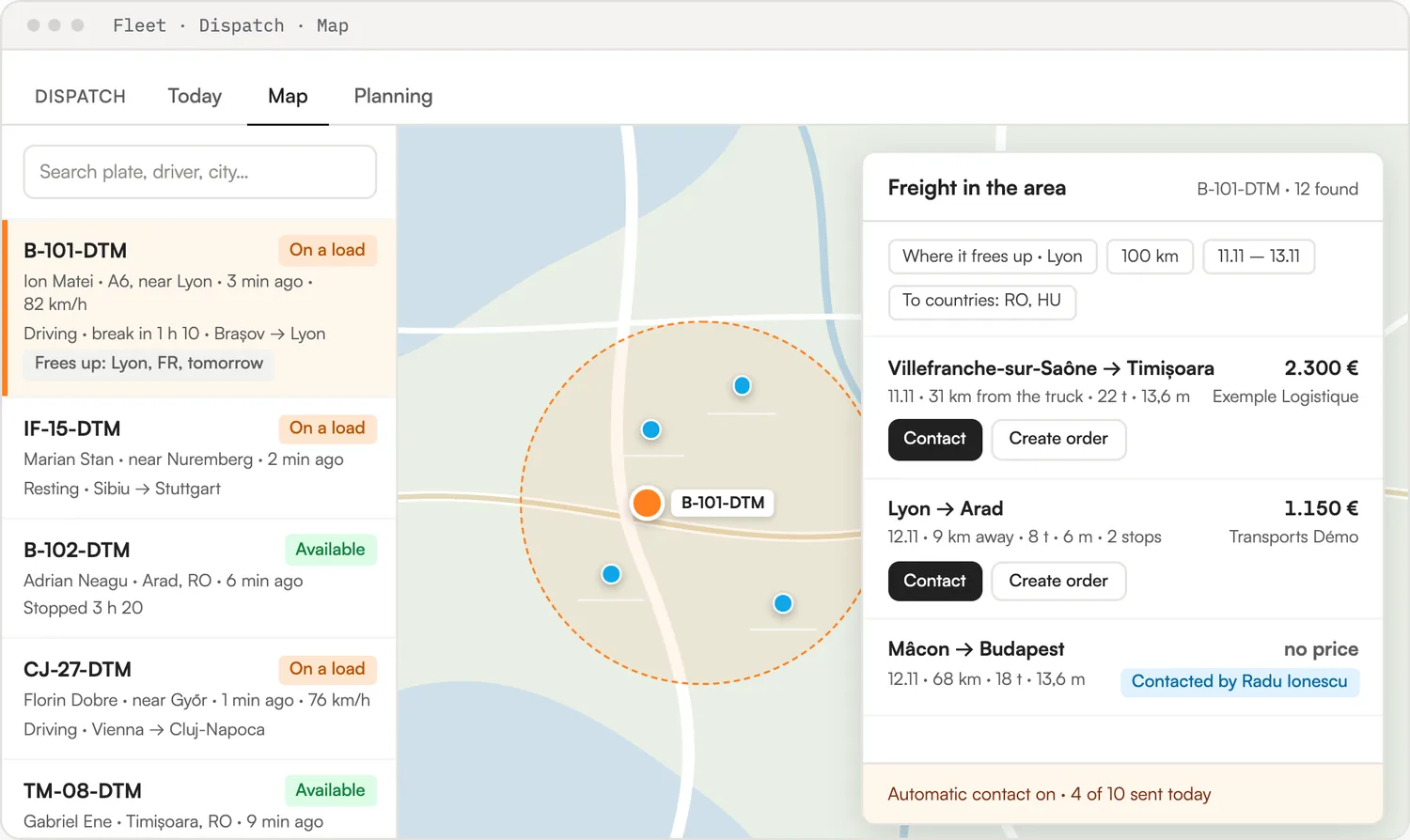
“Today” shows in the morning what is free, what frees up within 48 hours and which documents expire. On the map every truck has its position, its trip and its driving time. One click on “Loads nearby” searches TimoCom around it.
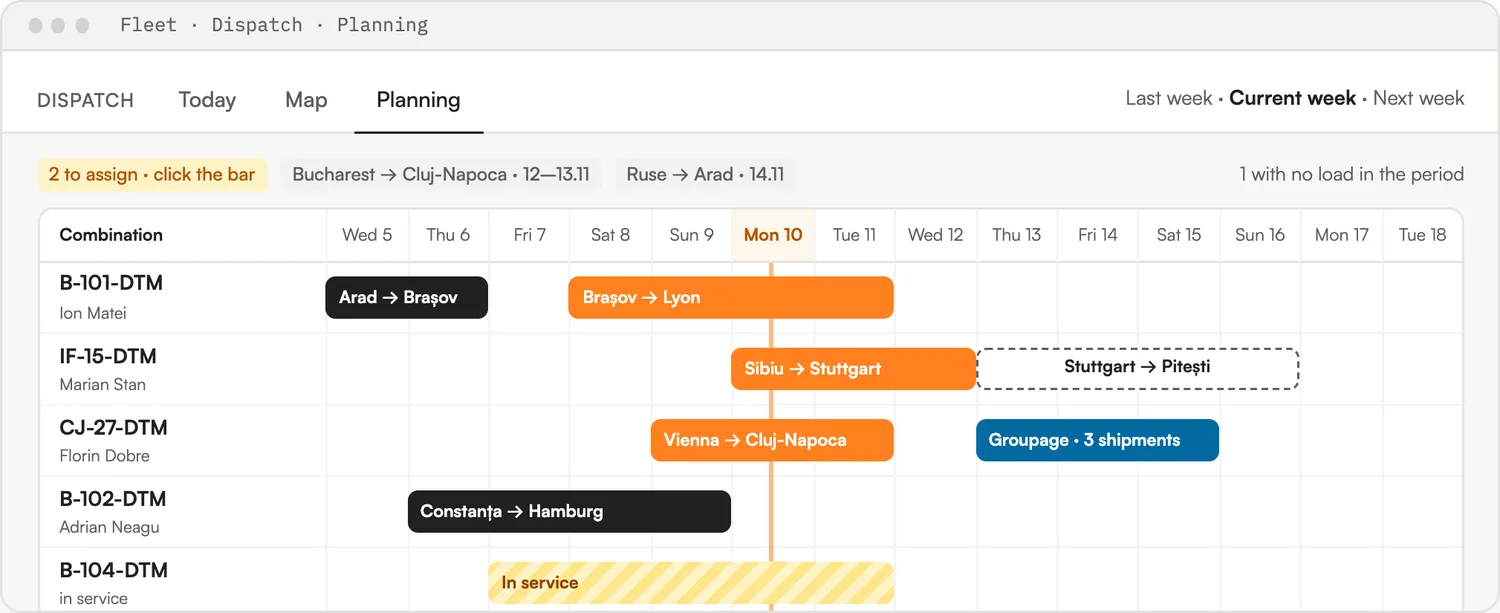
On Planning each truck and trailer has its own row, with trips on days. Orders without a crew wait at the top: click one and choose the truck. Choosing the crew fills in the plate number, the drivers, the dispatcher and the estimated cost on the order.
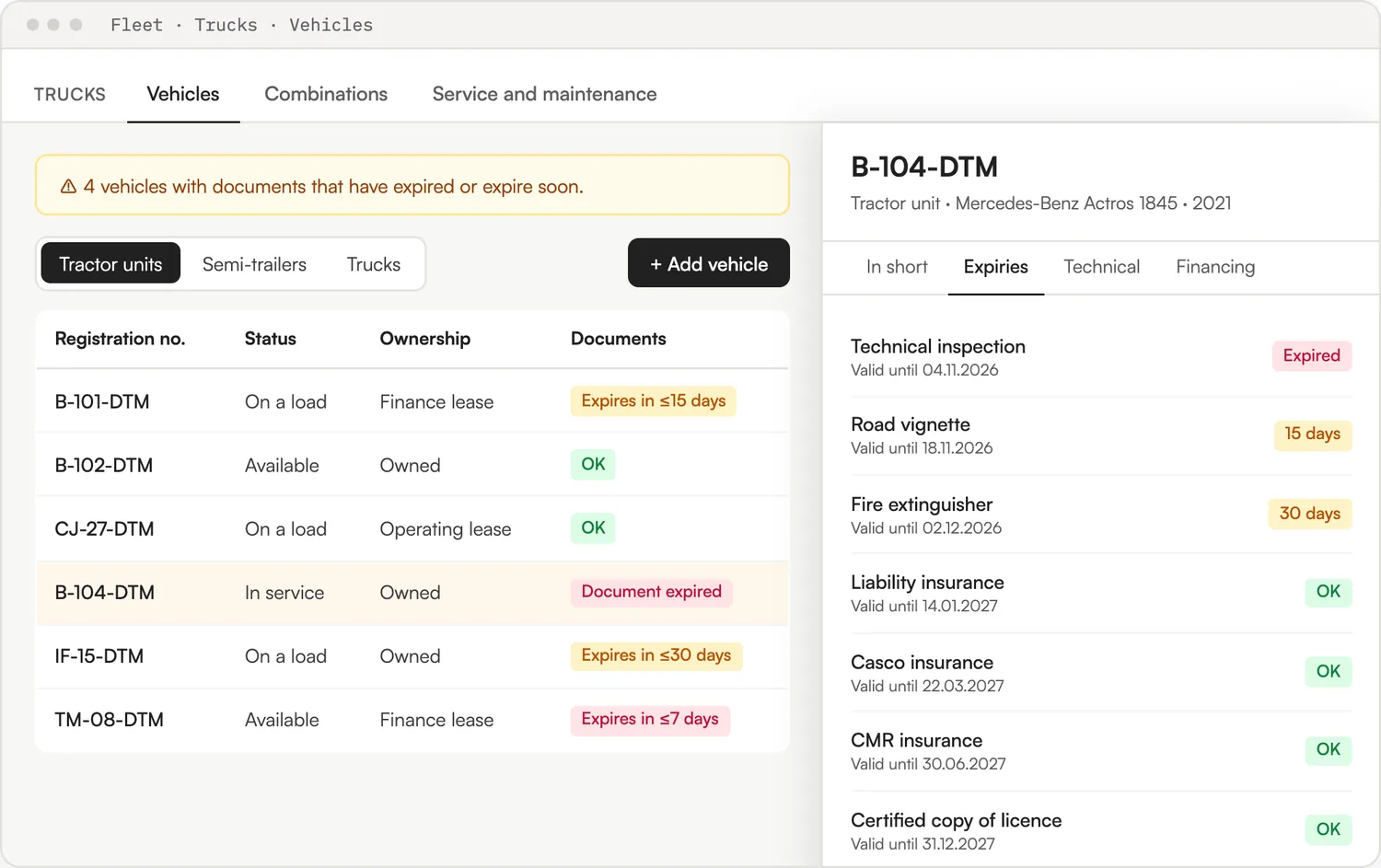
Tractor units, semi-trailers, trucks and trailers, each with its status, ownership and technical sheet. Every driver has a file tied to HR: documents, rotation, expense account and daily allowance.
The driver gets a link by SMS and puts it on the home screen. No account, no password, and no prices or clients on screen. The app runs in Romanian and English.
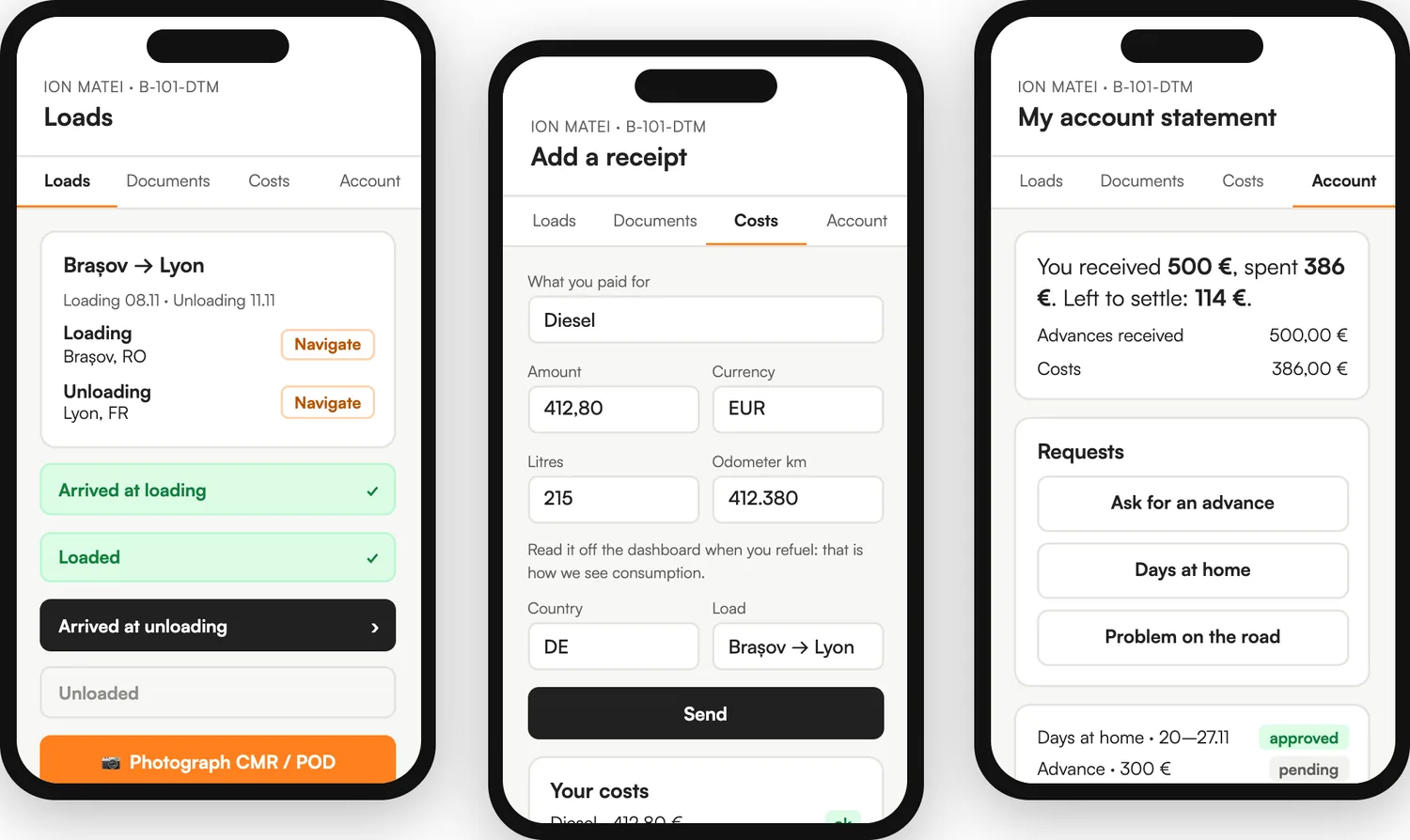
Danube adds up the month’s costs for each truck: the driver’s receipts, expenses, wages and allowance, leasing, depreciation and insurance. It divides them by the kilometres driven and puts the real cost on every trip.
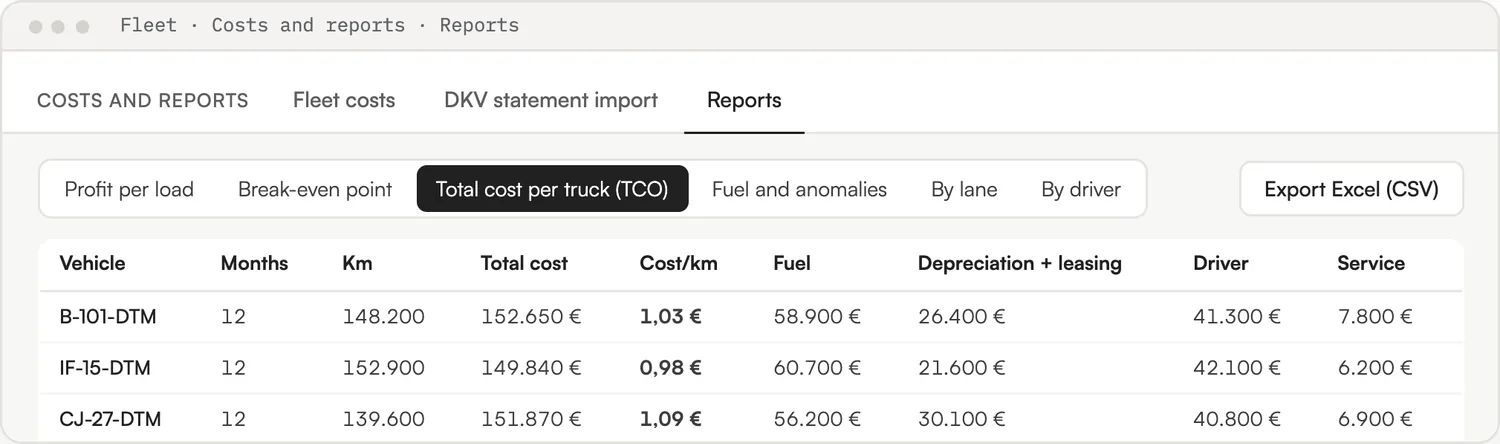
Screens are from the platform, with sample data.
Connected
You do not change suppliers. You bring them into the same place as the trips.
Truck positions, refreshed every five minutes, on the same map as the trips.
Loads around a free truck, emails and price offers, from your own account.
Emails to shippers leave from the dispatcher’s own mailbox.
Expenses, wages and fixed assets flow into the cost of each truck.
The dispatcher sees only Dispatch and their trucks, without amounts. The driver sees only their trips.
Every report exports. Leasing payments from bank statements are proposed for matching, never booked on their own.
Getting started
How many trucks, how you follow them today and which GPS you already pay for.
Webfleet, Wialon or Frotcom. Your trucks appear on the map by themselves.
One link by SMS. Trips, CMR photos and receipts start arriving at the office.
Cost per km, empty kilometres and profit per trip, on real numbers.
Questions
Basic covers the base fleet (trucks, drivers, service and alerts) up to 10 trucks. Growth adds dispatch, the driver app and GPS up to 50 trucks. Enterprise adds the real cost per km, fuel card statements, fleet reports and automatic contact, with unlimited trucks.
Yes. Without GPS the position comes from the driver’s phone, with their consent, and the kilometres come from the ones planned on the orders.
No. The driver opens a personal link received by SMS. There is no password to forget, and the app shows no prices and no clients.
No. Driving hours are estimated from GPS under the 561/2006 rules, to plan deliveries and warn the dispatcher. The tachograph remains the proof.
Yes. A trip with your own fleet sits on the same orders board as the subcontracted ones, and a report compares fleet against subcontracting.
15 minutes, on your own trucks and lanes. We show you where every truck is, what a kilometre costs and what the driver does from the phone.