Requests wait in a shared inbox.
Real requests arrive mixed with invoices, CVs and truck offers. Whoever opens the email first takes it, and some are answered too late.
Danube TMS · For freight forwarders
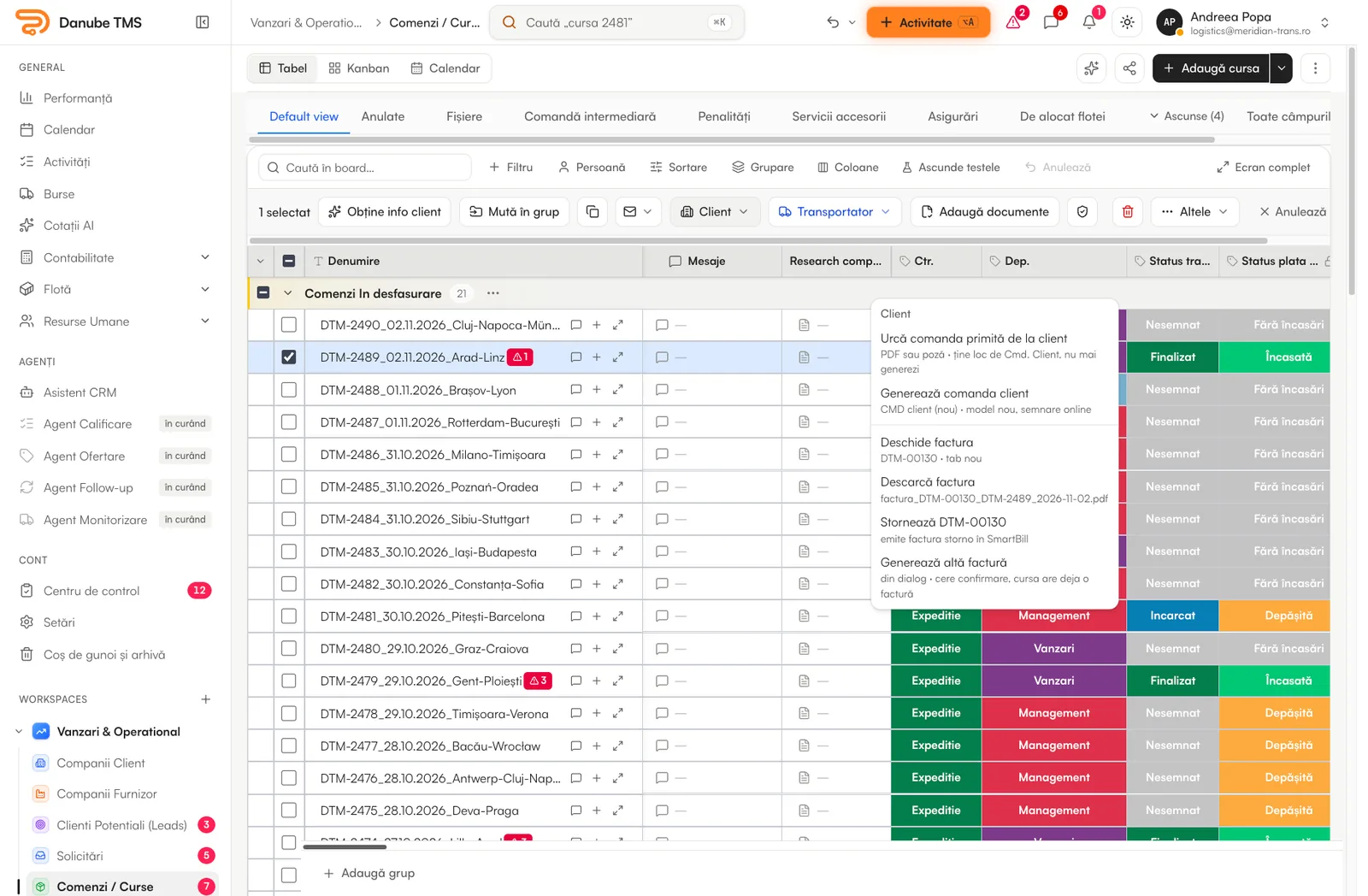
The request arrives by email, the carrier comes from an exchange, the order is signed online and the invoice leaves from the same row. Your forwarders stop copying between tools and spend the day closing loads.
A forwarding desk today
Real requests arrive mixed with invoices, CVs and truck offers. Whoever opens the email first takes it, and some are answered too late.
The same load is typed into each exchange, then refreshed by hand so it stays at the top. Messages come back in five different places.
The signed order, the CMR and the carrier’s invoice are asked for by phone, while the client’s invoice waits for them.
What changes for your desk
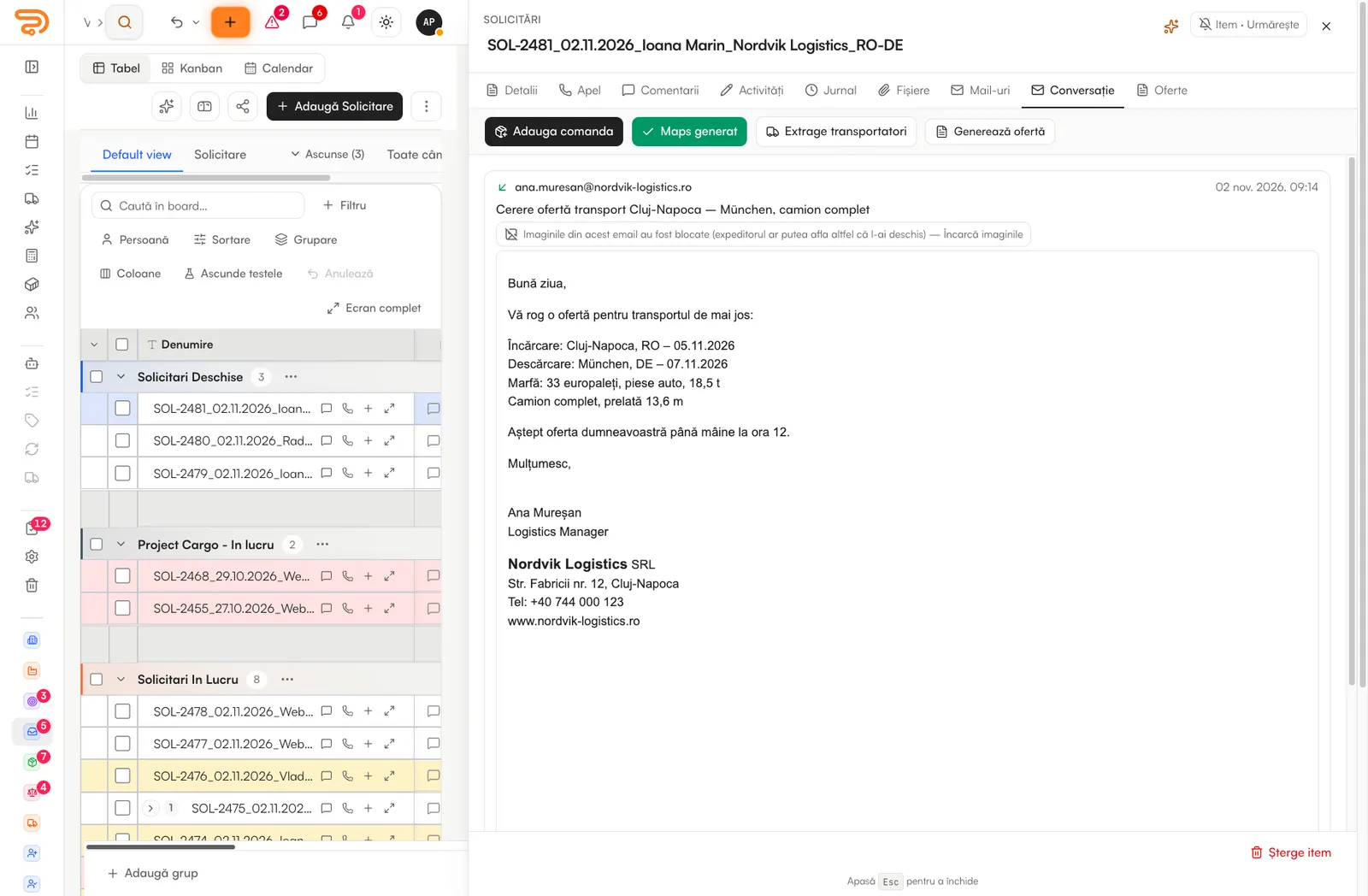
Danube reads the team’s mailboxes and the shared ones, like office@ or booking@. A transport request lands on the board with the route, the cargo and the client filled in, the attachments on it and a colleague already responsible.
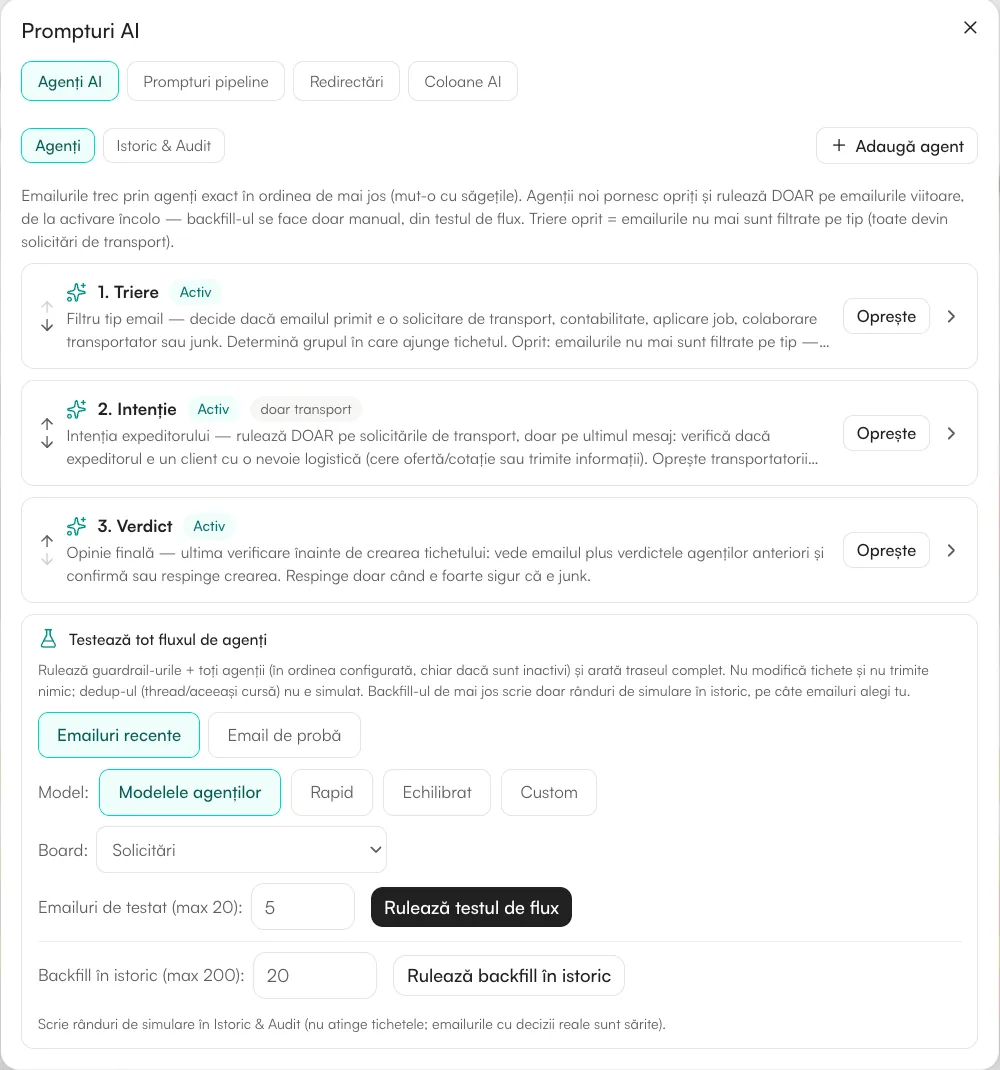
Every email goes through a chain of agents: the first classifies it, the second checks that the sender really needs transport, the third gives the verdict. You can add your own agents, with your own instructions.
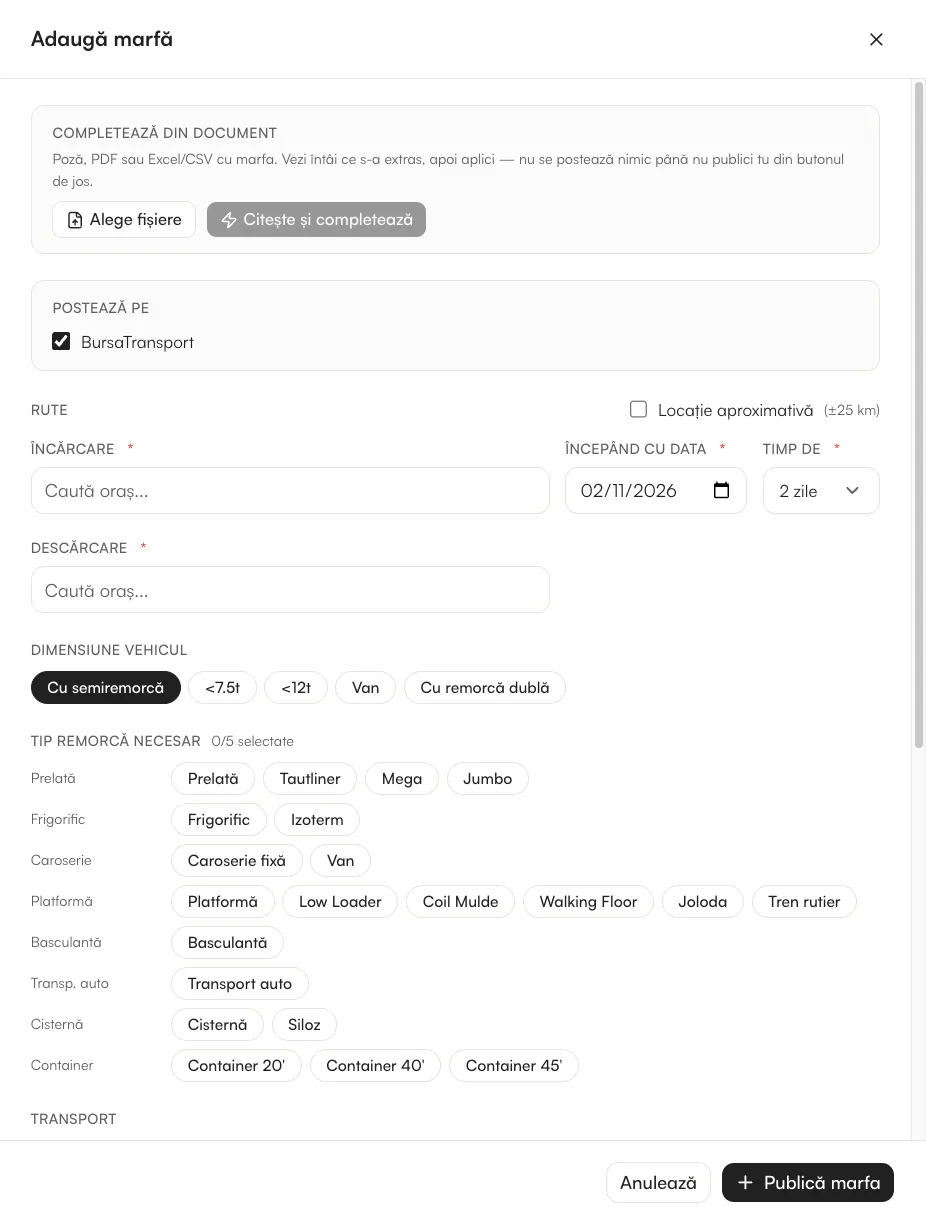
Your loads on TimoCom, Trans.eu, BursaTransport, 123cargo and Cargopedia sit in one table. You post, edit, repost and delete them once, on every exchange you choose.
Create the load from the request, or with “Fill in with AI” from the email or document you received. From its row you generate the client’s order and the carrier’s order, send them for signature and issue the invoice.
Screens are from the platform, with sample data. Some show the Romanian interface; the app also runs in English.
Also in the box
A forwarding desk needs more than a list of orders. These come with the platform, on the plan that matches your volume.
The pricing engine prices a lane for the client and for the carrier from the loads you have already run on it.
Paste an Excel table or an email with several routes; AI fills in the price without VAT and the transit days. Suspicious rows are flagged.
Emails go out from each colleague’s own mailbox and stop when the client replies. Inactive clients are enrolled automatically.
The carrier’s invoice is read and compared with the amount on the order before anyone approves it.
Missing documents, payment terms and changes to delivered loads wait in one page, with one number next to the menu.
A link from the load’s page lets the client follow the shipment and its documents without phoning you.
Getting started
In a 15-minute call you tell us how you work today: mailboxes, exchanges, Excel, invoicing software.
Your lists come in from Excel or CSV, with column matching. The boards are ready from day one.
Gmail or Outlook, personal and shared. Requests start landing on the board on their own.
Order, signature, CMR and invoice from the same row. We stay close during the first weeks.
Questions
No. Danube works with the exchange accounts you already have. You publish from one table, and the messages come back to the same place through the Danube Freightbot extension.
Yes. Client invoices are issued from the order through SmartBill or Billingo, and your accountant gets a monthly export. e-Factura is fetched from ANAF SPV and checked for Romanian companies.
Invoices, CVs and truck offers are forwarded, with their attachments, to the address you choose, so they do not crowd the sales board.
Yes. Paid plans start from two users, and colleagues who only view data are not billed. You can add exchanges, AI and fleet later by moving up a plan.
No. Your own fleet sits in the same TMS: from an order you assign your own truck and crew instead of an outside carrier, and the trip gets its cost and profit.
15 minutes, on your own lanes and clients, no slides. You see where your desk gets faster.